📺 TV Viewing Distance Calculator
Blend screen size, resolution, seat height, and room depth into a viewing distance that feels natural instead of guessed.
📋Preset scenarios
📊Viewing profile guide
🔧Calculator inputs
📑Reference tables
💡Practical tips
📈Calculation results
To achieve an ideal televisions setup in an television watching experience, three factor must be considered: screen size, resolution, and distance between the seat and the television. Viewing distance consider the screen size of the television and the type of content being watched. If the viewing distance is incorrect, it can cause strain to the neck or cause the screen to appear too small on the television.
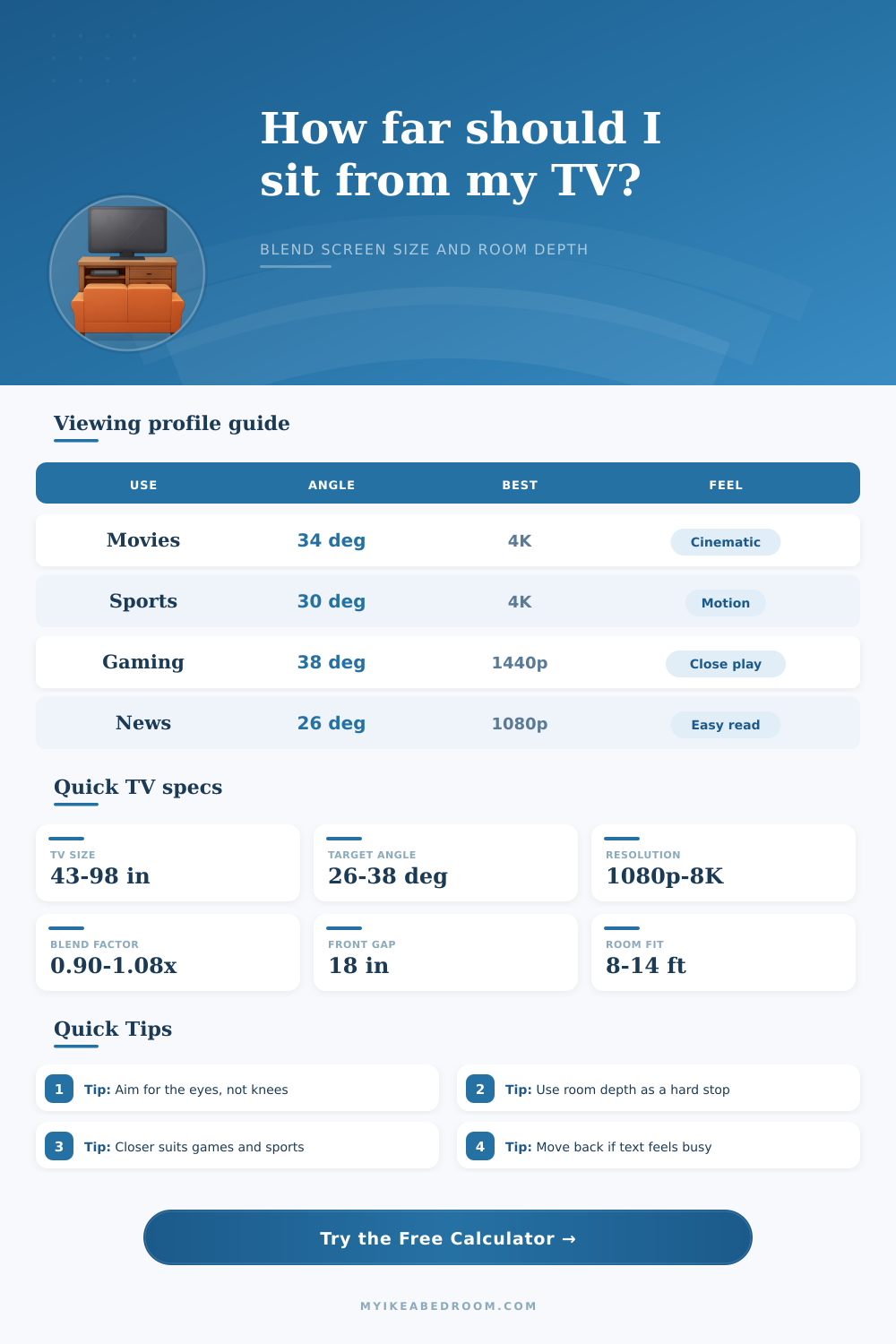
The first factor to consider is the field of view. The field of view is the angle that you eyes take in from the seat where you watch the television to the screen. For general television viewing, the field of view should be approximately 30 degree.
How to Set Up Your TV for Best Viewing
This allow your eyes to view the screen without causing strain. For those who watch movies or play video games, the field of view should be between 34 and 38 degrees. This create an immersive experience for the viewer.
For those who watch the news or other casual content, the field of view should be 26 degree. This allows individual to read any text on the screen. The second factor is the resolution of the television.
The resolution of the televisions will determine how close you can sit to the screen. For instance, if you have an older model with 1080p resolution, you have to sit farther from the screen. This is because the pixels on the screen will become visible if you sit too close to the screen.
If you have a 4K resolution, you can sit closer to the screen because the television will allow you to seeing individual details on the screen without seeing the pixel grid. 8K televisions allow for you to sit even closer to the screen. If you have an 8K television, the screen resolution produces even higher levels of detail.
Therefore, it is important to balance the resolution of your television to the viewing distance so that the resolution remains effective for your line of sight. The third factor is the seating position of your viewer. The height of the seat that you use will determine the angle of your gaze.
For example, if your line of sight is not even with the screen, it can cause strain to your neck. If you mount your screen too high, your neck will have to strain upwardly to look at the screen. This can cause neck fatigue over time.
If you use a recliner, your seating position will likely have to be farther from the screen to allow your back to remain in a comfortable position. Floor cushion, on the other hand, will likely require your seating position to be closer to the screen so that your eyes are at a more comfortable level. The fourth factor to consider is the depth of the viewing room.
This will limit where you can place your seat relative to the screen. For example, the walls of the room will limit your viewing distance. If you are in a small room, you will have to make compromises in the viewing distance between your seat and the screen.
To avoid common mistake in creating the ideal viewing experience for the television, there are a few point to consider:
First, ensure that the center of the screen is at eye level. For instance, if you have a 50-inch television and your eyes are 42 inches above the floor, the screen is likely too high. Second, consider the aspect ratio of the television.
Standard televisions are 16:9. Ultrawide screens has a wider aspect ratio and require viewers to be further away from the screen to view the content properly. Third, consider the ambient lighting in the viewing room.
If the room is very bright, your viewing distance may have to be further from the screen to avoid too much glare on the screen. Finally, pause a scene on the television. If the face on the screen appear to be life-sized and the image is smooth, your distance is correct.
If the text on the screen is blurry or the screen seems too small for your viewing area, you should of adjust your viewing distance or seating position.