TV Mount Weight Calculator
Check total hanging load, arm-extension torque, fastener capacity, wall structure, stud spacing, and VESA fit before choosing a fixed, tilt, full-motion, mantel, or ceiling TV mount.
Choose a common bedroom, media room, or apartment setup, then fine-tune the TV weight, mount weight, wall type, fastener count, arm reach, and VESA size.
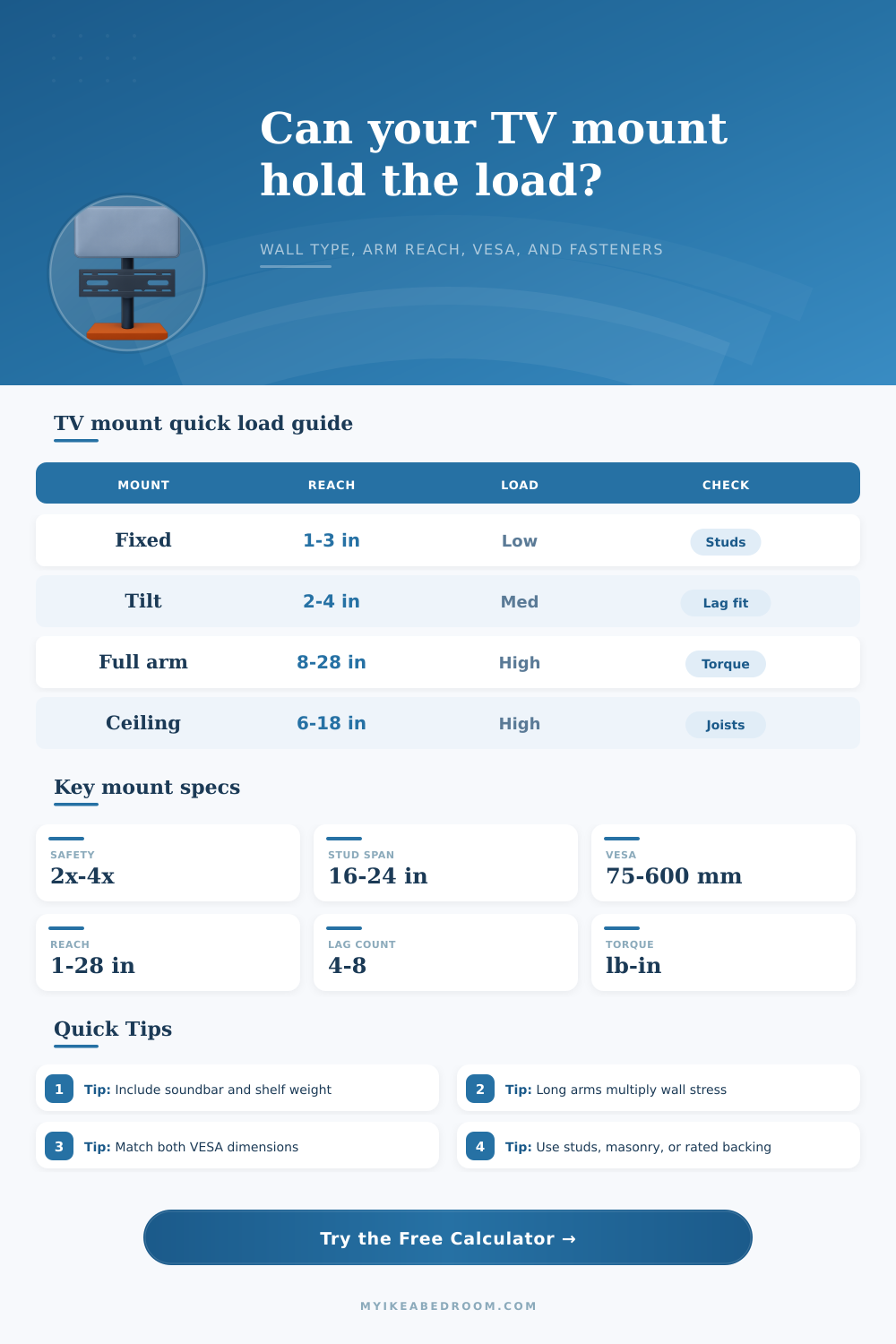
| Mount style | Typical reach | Load factor | Best capacity check |
|---|---|---|---|
| Fixed low-profile | 1 to 3 inches from wall | 1.00x base load | Rated TV weight, two-stud alignment, VESA match |
| Tilt wall mount | 2 to 4 inches from wall | 1.10x base load | Lag engagement, tilt angle, bottom spacer contact |
| Full-motion arm | 8 to 28 inches from wall | 1.35x plus reach | Moment torque, stud count, fastener group capacity |
| Pull-down mantel | 6 to 20 inches from wall | 1.45x plus reach | Moving-arm force, vertical travel, masonry or studs |
| Ceiling mount | 6 to 18 inches below joist | 1.35x base load | Joist attachment, blocking, sway from rotation |
| Structure | Preset rating | Common fasteners | Calculation note |
|---|---|---|---|
| Wood studs | 250 lb per lag | Lag screws into stud center | Capacity uses 85% group efficiency for uneven loading. |
| Metal studs | 80 lb per toggle | Snap toggles or rated hollow-wall anchors | Use a mount listed for metal studs and avoid drywall screws. |
| Concrete or solid masonry | 300 lb per anchor | Sleeve, wedge, or concrete anchors | Drill to anchor depth and avoid crumbly or cracked material. |
| Brick or block | 150 lb per anchor | Sleeve anchors or masonry screws | Solid brick is stronger than hollow block or weak mortar joints. |
| Plywood backer over studs | 180 lb per screw | Structural screws into backer and studs | Backer spreads the plate load across more framing. |
| Drywall-only anchors | 35 lb per anchor | Heavy-duty toggles rated for drywall | For small fixed mounts only; long arms fail this check quickly. |
| Ceiling joists | 220 lb per lag | Lag screws into joists or blocking | Check both vertical load and sway from rotation or pull. |
| TV size class | Typical TV weight | Common VESA pattern | Mount note |
|---|---|---|---|
| 24 to 32 inches | 8 to 18 lb | 75 x 75 to 200 x 100 mm | Light fixed mounts can work, but still match anchors to wall material. |
| 40 to 43 inches | 18 to 30 lb | 200 x 200 to 300 x 200 mm | Single-stud mounts need verified fasteners and a centered plate. |
| 50 to 55 inches | 25 to 45 lb | 300 x 200 to 400 x 400 mm | Tilt mounts usually need two studs or sound masonry. |
| 65 inches | 40 to 65 lb | 400 x 300 to 400 x 400 mm | Full-motion arms should use dual studs or structural blocking. |
| 75 to 85 inches | 65 to 110 lb | 400 x 400 to 600 x 400 mm | Large TVs need wide plates, high rated load, and careful VESA fit. |
Best for: light to medium TVs close to the wall.
Watch: VESA fit and clear cable space.
Best for: higher bedroom or living-room viewing.
Watch: bottom spacer contact and lag depth.
Best for: corner viewing and glare control.
Watch: extension torque and stud count.
Best for: open layouts and no-wall positions.
Watch: joist attachment and sway control.
Load tip: The TV weight alone is not the whole load. Add the mount, adapter bars, soundbar brackets, shelves, and anything clamped to the TV or mount plate.
Reach tip: A 20 inch arm does not just hang weight; it creates torque. Keep heavy screens closer to the wall unless the fastener group has a large margin.
VESA tip: Both VESA width and height must fit. A mount that supports 400 mm wide but only 300 mm tall will not fit a 400 x 400 mm TV pattern.
Wall tip: Drywall-only ratings depend on exact anchor type and wall condition. For full-motion mounts, use studs, blocking, masonry, or a mount maker's approved system.
Choosing a television mount require the consideration of more than just the size of the television. The person must also consider the weight of the television and the strength of the wall. A person can install the mount on the wall, but if the wall cannot support the weight of the television, the mount will fails.
Additionally, if the mount has an arm that extends out from the wall, there will be more stress placed on the fasteners that attaches the mount to the wall. The total weight of the television mount consist of the weight of the television, the mount, and any accessories. Most people will forget to include the weight of the accessories when performing the calculations.
How to Choose a Safe TV Wall Mount
Using a calculator allow a person to enter the weight of each of these components so that the person can determine if the television mount is safe or not safe. The style of the television mount will impact the way that the weight of the television is placed on the wall. With a fixed mount, the television will be close to the wall, and the weight will be transferred directly to the mount fasteners.
With a tilt mount, the person will install the television at an angle to the wall, and the bottom edge will rest on the spacers while the top edge of the television will be pull on the fasteners. Mounts with full motion arms or mantel mounts will place even more stress on the fasteners. Full motion arms will place more torque on the fasteners because the center of the screen is located farther from the wall.
Therefore, the full motion arm will require more fasteners or provide additional backing for the mount to be safe. The construction of the wall is just as important as the television mount. With wooden studs, the lag screws will secure into the wood.
With metal studs, specific toggle anchors are required to attach to the studs. Both masonry and brick walls can handle the weight if the correct anchors are use. However, drywall alone is not strong enough for heavy televisions; it can only be used for very light televisions.
Using a calculator allow a person to input the type of wall that they will be mounting the television to. The spacing of studs is another consideration in the installation process. Most studs are placed 16 inch apart in the wall, but some older homes have studs placed 24 inches apart.
Because there are fewer studs in those walls, there is less support for the television mount. A calculator allows a person to account for the spacing of the studs and the number of fasteners used to secure the mount. The VESA pattern of the television must match the specifications of the mount.
Some mounts may support the reach of the television but not the vertical dimension. Using the VESA pattern specifications will allow a person to find any discrepancies in match between these two component. One last factor to consider is the safety factor that is used for the mount.
Television mounts for bedrooms may use a modest safety factor. However, a safety factor for a family room may have to be higher. With family rooms, full motion arms will be moved more often.
As a result, if the arm is moved often, there may be bumps against the wall. The mount safety factor can be entered into the calculator to determine the load that must be supported by the wall. There are some common mistake that people make when mounting televisions.
One of the most common is the underestimation of the reach of the arm. A person can find televisions with mounts that are rated for 100 lbs. However, that estimate is under ideal condition.
If the arm has extensions or if the wall is hollow, the mount will not be able to support the television. Therefore, using a mount calculator will allow the person to enter these variables and ensure that the mount will be safe. Another common mistake is to ignore the tilt angle of the mount.
If the mount is tilted, there will be more pull on the top screws and more compression on the bottom edge of the screen. Even if the safety factor is narrow, the tilt angle should be consider before mounting the television. A calculator that allows input of the tilt angle will allow the person to ensure that the mount will be safe.
The reference tables provides typical television mount specifications. The numbers that are generated from the calculator can be compared to these reference tables. Additionally, these tables allow the person to change certain variables in the calculation to see how that changes the safety of the mount.
Once the calculations indicate that the mount is safe, there are still some step that must be followed in mounting the television to the wall. The pilot holes should be ensured to reach into the solid wood or masonry. Additionally, the mount plate should be ensured to be flat against the wall once the screws are inserted.
If the television has an articulating arm, there should be slack in the cables. Ensuring these steps will ensure that the calculations produce a reliable installation of the television mount. By following these steps, a person will ensure that the mount’s support factor in relation to the weight, reach, and the wall that it is mounted on.