Tile assembly dead-load planning
Tile Weight Calculator
Estimate tile-only weight, mortar and grout load, backer board contribution, and installed dead load per square foot before you build a bathroom floor, kitchen backsplash, mudroom, or stone entry.
Surface math
Weight components
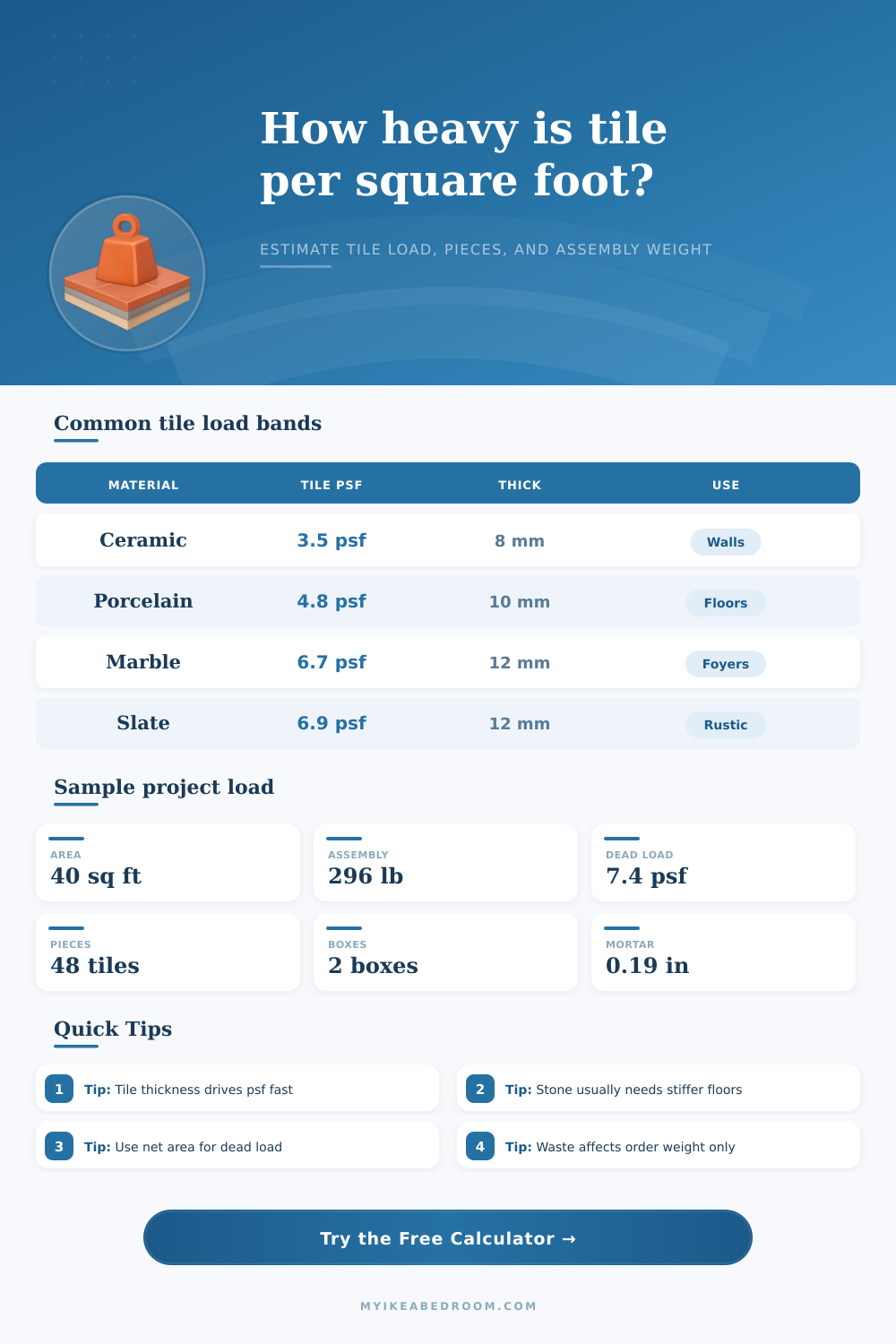
| Material | Density (lb/ft3) | Typical thickness | Approx tile-only load | Where it shows up |
|---|---|---|---|---|
| Ceramic | 135 | 7 to 9 mm | 3.1 to 4.0 psf | Walls, light-duty floors, laundry rooms |
| Porcelain | 145 | 8 to 12 mm | 3.8 to 5.7 psf | Bathrooms, kitchens, entries |
| Quarry tile | 140 | 10 to 12 mm | 4.6 to 5.5 psf | Mudrooms, utility rooms, vestibules |
| Glass | 156 | 6 to 8 mm | 3.1 to 4.1 psf | Backsplashes, accents, wet walls |
| Marble | 170 | 10 to 12 mm | 5.6 to 6.7 psf | Foyers, fireplace surrounds, feature walls |
| Granite | 177 | 10 to 12 mm | 5.8 to 7.0 psf | High-wear floors, commercial entries |
| Slate | 175 | 10 to 14 mm | 5.7 to 8.0 psf | Rustic floors, porches, garden rooms |
| Cement tile | 150 | 14 to 16 mm | 6.9 to 7.9 psf | Decorative floors and statement walls |
| Thickness | Inches | Porcelain psf | Marble psf | Slate psf |
|---|---|---|---|---|
| 6 mm | 0.24 in | 2.85 | 3.35 | 3.45 |
| 8 mm | 0.31 in | 3.81 | 4.47 | 4.60 |
| 10 mm | 0.39 in | 4.76 | 5.58 | 5.75 |
| 12 mm | 0.47 in | 5.71 | 6.70 | 6.91 |
| Mortar bed | Approx psf | Typical use | Comment |
|---|---|---|---|
| 1/8 in | 1.2 psf | Flat wall tile | Low-build thin-set application |
| 3/16 in | 1.8 psf | Most floor tile | Common notch collapse range |
| 1/4 in | 2.4 psf | Moderate floor correction | Frequent choice for 12 x 24 tile |
| 3/8 in | 3.6 psf | Large-format leveling | Use when coverage needs more build |
| 1/2 in | 4.8 psf | Heavy stone support | Can change dead-load planning quickly |
| Layer | Approx psf | Profile | Best fit |
|---|---|---|---|
| Uncoupling membrane | 0.45 psf | Thin | Wood subfloors under porcelain or ceramic |
| Foam board | 0.65 psf | Very light | Walls, niche builds, light floor assemblies |
| 1/4 in cement board | 2.6 psf | Moderate | Conventional tile floor build-ups |
| 1/2 in cement board | 3.8 psf | Heavy | Wall or floor areas needing rigidity |
Porcelain
Ceramic
Marble
Cement or slate
This calculator separates two numbers that often get mixed together during tile planning: installed dead load and material order weight. Installed dead load is what stays on the structure after the tile job is complete. That includes the tile itself, the mortar bed, the grout in the joints, and any membrane or backer board layer you selected. Material order weight is different because it adds waste and layout loss, which matters for carrying boxes, staging materials, and understanding how much product arrives on site.
The tile-only portion starts with material density and thickness. Porcelain is dense, but stone can be denser still, and decorative cement tile gets heavy quickly because it is usually much thicker than a standard ceramic wall tile. The calculator converts tile thickness from millimeters to inches, applies the selected density, and turns that into pounds per square foot. Then it multiplies by the net room area to estimate the installed tile weight.
Mortar and grout are added as separate layers because they are not constant from one installation to the next. A very flat wall with small ceramic tile may only need a light mortar build, while a large-format floor or natural stone installation can end up with far more mortar thickness. Grout contribution is estimated from the joint width and the fraction of the surface occupied by joints. That makes mosaic and small-format layouts behave differently from large rectangular planks.
Waste is applied only to the order calculation, not to the dead-load result. That distinction is useful if you are deciding whether an upstairs bathroom, entry landing, or feature wall needs a closer look for framing stiffness. It is also useful if you are comparing a lighter porcelain assembly against a thicker marble or slate option before making a finish choice.
- Use the preset buttons to start from a realistic tile format and assembly type.
- Adjust thickness and backer selection if your specification sheet shows heavier products.
- Watch the dead-load card if you are comparing framed-floor options.
- Watch the order-weight and box count cards when planning delivery and handling.
The weight of the tiles is a critical element to consider when remodeling a kitchen or constructing the floor. The weight of the tiles will determine the structural requirements for the floor. Specifically, you must calculate the dead load, which is the permanent weight that the tiles, mortar, and backer board will place upon the floor.
If you dont calculate the dead load of the tiles corectly, then the floor joists may not be strong enough to support the floor and it may sag. Thus, it is critical that you understand the weight of the different type of tile and the materials that are used in the installation of the tiles. There are two distinct types of weight that you must consider when installing the tiles.
Tile Weight and Floor Load
The first is the installed load of the tiles, which is the final weight of the tiles, mortar, and backer board. The second is the order weight of the tiles, which is the weight of the tiles that you purchase from the tile company, and the order weight is always more higher than the installed load due to the need for extra tiles to account for the loss of tiles during installation. If you order based off the order weight instead of the installed load, you may end up with too much or too little structural support for your floor.
A calculator is available that will allow you to calculate both the order and installed load of your floor by adjusting a few different variables. The material of the tiles will affect the weight of the tiles. For instance, porcelain will be heavier than ceramic tiles due to the density of the porcelain.
Natural stone will also be very heavy, as both marble and slate are naturally dense stone. Additionally, the thickness of the tiles will affect the weight of the tiles; the thicker the tile, the more massive the weight of that tile. Thus, thin ceramic tiles will be used in areas like backsplash in the kitchen, while thick stone will be used in areas like the entry floor of the residence.
The next factors to consider is the weight of the mortar and the grout. The thickness of the mortar bed will impact the weight of the floor; the thicker the mortar bed, the more weight will be placed upon the floor. Finally, the width of the grout joint will determine the amount of grout that you use in the installation of the tiles; the wider the grout joint, the more grout will be used, and the more weight the grout will place upon the floor.
Finally, the backer board will also have an impact upon the weight of the floor; cement backer boards are the heaviest, while uncoupling membrane are among the lightest in weight. When you order the tiles, you must account for the waste of the tiles. You will always lose some of the ordered tiles during installation, so you must order at least 10% extra tiles to account for these loss.
For instance, herringbone tile pattern require more cuts of the tiles than other patterns, and thus require more waste. However, the dead load of the tiles that is calculated for structural considerations should of not include waste; you must use the net area of the room in which the tiles will be installed. The waste will not be installed into the flooring.
There are some common mistakes that you should avoid when calculating the weight of the tiles. For instance, you should not assume that all tiles of the same dimensions is of the same weight; the different types of tile can have different thicknesses. You should not forget to include the weight of the backer board in your calculations, as it is a permanent structure in the floor.
Finally, you should always check local building code regarding the dead load that must be placed upon the floor, especially if there are any occupied room beneath the floor that is to be renovated.