Media Storage Shelf Quantity Calculator
Estimate how many shelf openings, rows, bays, and wall units you need for DVDs, Blu-rays, CDs, video games, vinyl records, boxed sets, and mixed media collections.
Choose a collection pattern, then adjust the case counts, shelf size, reserve, and wall limits to match your room.
Media shelf plan
Run the calculator to compare your collection with shelf width, height, wall space, and load rating.
Fit score
Shelf depth, row height, and weight warnings will appear after calculation.
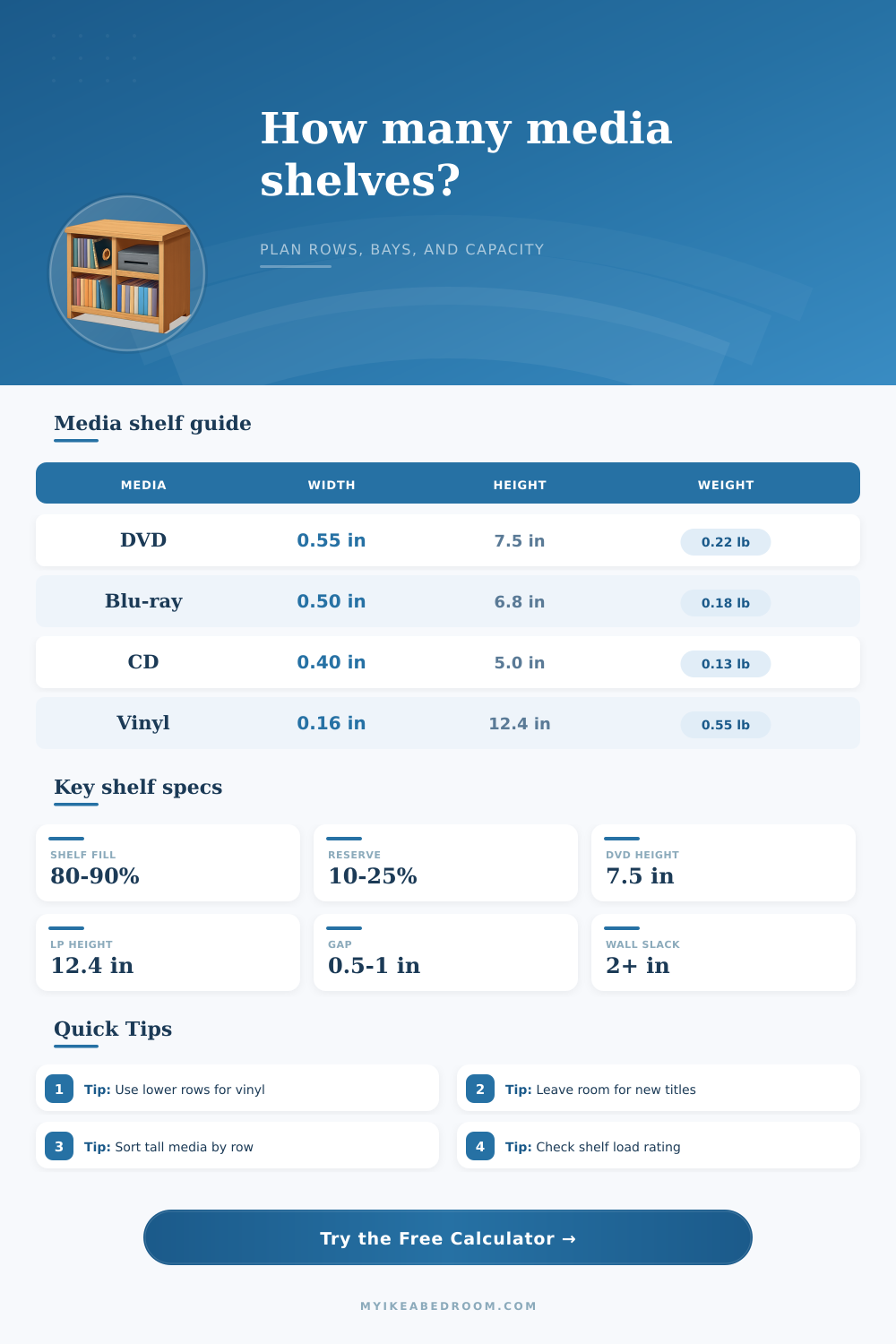
| Media type | Estimated width each | Minimum row height | Estimated weight each |
|---|---|---|---|
| DVD keep case | 0.55 in / 1.4 cm | 7.5 in / 19.1 cm | 0.22 lb / 0.10 kg |
| Blu-ray or 4K case | 0.50 in / 1.3 cm | 6.8 in / 17.3 cm | 0.18 lb / 0.08 kg |
| CD jewel case | 0.40 in / 1.0 cm | 5.0 in / 12.7 cm | 0.13 lb / 0.06 kg |
| Modern game case | 0.48 in / 1.2 cm | 6.8 in / 17.3 cm | 0.17 lb / 0.08 kg |
| Vinyl LP jacket | 0.16 in / 0.4 cm | 12.4 in / 31.5 cm | 0.55 lb / 0.25 kg |
| Media paperback or guide | 0.65 in / 1.7 cm | 8.0 in / 20.3 cm | 0.60 lb / 0.27 kg |
| Collector or boxed set | 2.50 in / 6.4 cm | 9.5 in / 24.1 cm | 1.20 lb / 0.54 kg |
| Layout | Total openings | Approx outside width | Best use |
|---|---|---|---|
| 1 bay x 5 rows | 5 shelves | 16 to 31 in | Narrow media tower or small apartment wall |
| 2 bays x 5 rows | 10 shelves | 33 to 62 in | Mixed DVD, game, and CD collection |
| 3 bays x 6 rows | 18 shelves | 50 to 94 in | Large movie wall or family room setup |
| 4 bays x 6 rows | 24 shelves | 67 to 126 in | Collector wall with growth reserve |
| Low vinyl unit | 4 to 8 shelves | 30 to 64 in | LP records where weight stays near the floor |
| Shelf width | DVD capacity | CD capacity | Vinyl capacity |
|---|---|---|---|
| 16 in / 41 cm | 24 DVD cases | 34 CD cases | 85 LPs by width, check weight |
| 24 in / 61 cm | 37 DVD cases | 51 CD cases | 128 LPs by width, check weight |
| 30 in / 76 cm | 46 DVD cases | 63 CD cases | 159 LPs by width, check weight |
| 36 in / 91 cm | 55 DVD cases | 76 CD cases | 191 LPs by width, check weight |
Measure the clear opening. Side panels, shelf pins, lips, doors, and back panels can reduce usable width, depth, and height compared with the listed bookcase size.
Keep heavy media low. Vinyl, hardback guides, and boxed sets can exceed light shelf ratings quickly. Use lower rows and compare weight per loaded shelf.
Do not fill every inch. A row packed to 100% is hard to browse. A target fill around 80% to 90% leaves finger room and space for dividers.
Separate tall formats. LPs, deluxe boxes, and art books may force taller rows. Separate them instead of making every row taller than needed.
The first box. Initial impression: this thing promise well. It has clean lines, solid construction, and lots of room. Load it up with DVDs. Load it up with Blu-rays. Load it up with CDs. Now put all 40 of those vinyl records in there… oh, sorry, they don’t fit standing upright without bending the plastic sleeves. A crisis in media storage follow. Humans are funny. When purchasing furnitures, they tend to focus on looks and external dimensions. Weight distribution? Volume? Physical reality of mixed format collections? Who cares about such things when we’re shopping!
This calculator does the complex math for you, based off your own personal inventory. Once you input your numbers, it spit out the blueprint in terms of bays and rows, turning abstract measurements into something concrete. It protects you from making a purchase which may look great in the showroom but fall apart at home underneath the real-world weight of your music collection.
Why You Need a Media Storage Calculator
This is measured in linear feet. It’s hard for most folks to appreciate just how much room a set of movies take up. A regular DVD case is about half an inch thick. Sounds small right? Until you consider that a 30-inch wide bookshelf can only fit less than 50 at max capacity. Then there are CDs, which are thinner but usually packed closer together. There are also vinyl records, which are thin but require a lot of space. Pretty soon thing get complicated. Enter this handy little tool. It takes into account all those specific dimensions, width and height. It’ll translate all those items from numbers into linear footage. It then split that footage by your shelf width to give you exact number of shelves you’ll need.
It is more helpful than guesswork because it accounts for the fact that not every inch of wood are usable. Don’t underestimate the importance of framing. Even if you only want one bookcase across a single wall, every collection or genre should has its own divider or side panel, or even just something in between. Your plan will be to narrow unless you account for width occupied by the actual furniture structure itself. The calculator allows you to factor in frame allowance to ensure the shelves it suggests can actualy exist inside the wall space you provide. It won’t crush up against door frames and baseboards.
The tool accounts for depth as well. Vinyl requires more than a dozen inches; DVDs require roughly five inches to sit firmly upright. Wasting space on the movie shelf when you’re using a record-sized shelf will result in falling cases (or an empty space). The tool compares these depths to prevent such a waste: a cabinet that fits in terms of width but not height.
Another unseen limitation is weight. Sure, a shelf may be big enough to hold your collection… if it’s made out of cheap particle board. Vinyl records are surprisingly heavy. Boxed sets? Even heavier. Stack ten pounds of media onto a shelf designed to handle five and that sucker’s gonna bow, crack, then fall apart. To prevent that, the calculator takes into account the average weight of different types of media, calculates total weight of what you want to put in there, then compares that with your desired load rating. That way, you don’t buy something that’ll structurally fail long before you even bring it home.
That forces you to consider how you distribute things across the shelf. Consider putting heavier stuff down low, and letting lighter books & CDs up high. Simple layering save those shelves from sagging over time.
Then there’s the decision about what margin to provide for breathing. Filling a shelf to a hundred percent seems like efficiency, but it’s cluttered and maddening: Pulling a single case off means knocking over every other case next to it. Eighty to ninety percent, though, that’s a realistic fill level where you can hold onto a spine and make room for new acquisitions. This margin becomes automatic because the tool calculates more shelves than needed to ensure there is always breathing room. It is not a big difference numerically, but it is a huge change in daily usability that shifts frustration to functionality.
Finally, think about the layout strategy. Do certain collections look better grouped in wide bays? Or do others needs narrow towers to make full use of vertical space in small apartments? Based on height and width limits you enter into the calculator, it’ll suggest layouts. How many rows vs. Which bays might be most effective? It’s not just about squeezing in the stuff; it’s also about building something that makes browsing enjoyable.
Once you begin seeing shelves as structural challenges rather than empty boxes, it all starts to make more sense. Before you walk out the door, you’ll know precisely what to purchase. Your media will stay organized, upright and safe for years to come.