Ethernet Cable Length for Home Run Calculator
Estimate structured Ethernet cable from a network cabinet or patch panel to each room, including horizontal route, vertical drops, service loops, trim allowances, slack, and Cat cable length limits.
▣Cabling presets
Start from a typical home-run wiring layout, then adjust the measured route length and allowances.
⚙Home-run inputs
What the calculator adds per run
- Horizontal routePanel to room
- Vertical dropsBoth ends
- Service loopsRack + outlet
- Termination allowancePanel + jack
- Slack percentAfter base path
- Channel checkPlus patch cords
Ethernet cable length estimate
📏Reference specs
🗂Permanent link and channel guide
| Cable segment | Included in bulk cable? | Included in permanent link? | Included in channel? |
|---|---|---|---|
| Horizontal route through framing, attic, basement, or conduit | Yes | Yes | Yes |
| Panel-side and room-side vertical drops | Yes | Yes | Yes |
| Service loops and trim allowance at both cable ends | Yes | Yes | Yes |
| Patch panel and keystone termination allowance | Yes | Yes | Yes |
| Rack patch cord and device patch cord | No | No | Yes |
📊Common home-run examples
| Layout example | Runs | Average route | Typical total before patch cords |
|---|---|---|---|
| Apartment network closet to TV, office, bedroom, and AP | 4 | 35-45 ft | 190-250 ft |
| Condo media cabinet with two-room wall plates | 6 | 40-55 ft | 330-450 ft |
| Single-level bungalow with attic routes | 8 | 55-70 ft | 600-760 ft |
| Townhome rack with stacked floor riser | 10 | 70-90 ft | 920-1150 ft |
| Large home with office, cameras, APs, and TV drops | 24 | 80-105 ft | 2450-3200 ft |
🧮Slack and allowance table
| Allowance | Typical amount | Where it goes | Why it matters |
|---|---|---|---|
| Panel service loop | 2-5 ft per run | Rack, cabinet, or media panel | Allows neat dressing and future re-termination. |
| Outlet service loop | 1-3 ft per run | Wall box, low-voltage bracket, or ceiling AP | Lets the keystone be terminated outside the box. |
| Patch panel allowance | 1-2 ft per run | Inside the network cabinet | Covers routing to the selected patch panel port. |
| Keystone allowance | 0.5-1.5 ft per run | Behind wall plate or AP mount | Covers jacket stripping and punchdown handling. |
| General slack | 10-20% | Added after measured path | Covers bends, detours, and measuring uncertainty. |
📐Feet and meters conversion
| Length | Meters | Feet | Use in cabling plan |
|---|---|---|---|
| 1 meter | 1 m | 3.28 ft | Small patch cord or trim allowance. |
| 10 meters | 10 m | 32.8 ft | Short room-to-rack home run. |
| 30 meters | 30 m | 98.4 ft | Long residential home run. |
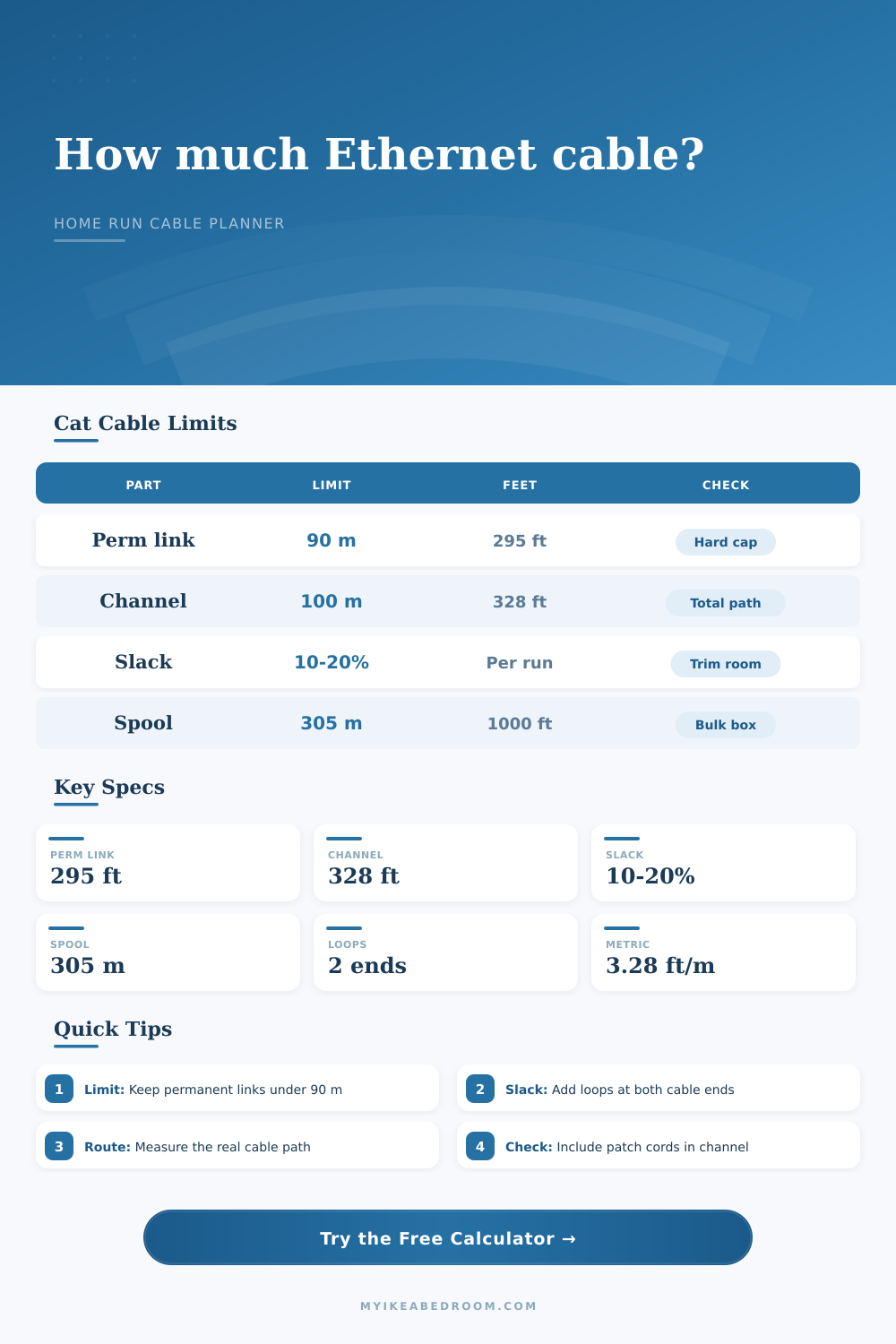
| 90 meters | 90 m | 295 ft | Maximum permanent link length. |
| 100 meters | 100 m | 328 ft | Maximum channel length including patch cords. |
| 305 meters | 305 m | 1000 ft | Common bulk cable box or spool. |
💡Planning tips
The good news is that Ethernet works by laws of physics, so it’s all about performance as well as connectivity. That means you should take time to plan out your Ethernet cabling. Many people don’t measure correctly when installing cable, this can result in failed devices at gigabit speed or make upgrades more challenging down the road.
Purchase only after knowing distinction between total channel and permanent link. A permanent link is exactly that: the cable running between wall jack and the patch panel. Its maximum distance are 90 meters (about 295 feet). Patch cords are what you plug into your computer or router, it is not included. A channel is the complete data pathway. That means both the permanent link AND all of its patch cords on either end. The total channel can be no more than 100 meters (about 328 feet).
How to Measure and Plan Your Ethernet Cables
Why does this matter? A lot of folks don’t realize how much additional length is tacked onto their route with those small patch cables. For example, let’s say your permanent link is 95 feet long, you’ve got very little room left for the cables connecting your gear. Don’t worry; the calculator above will do math for you as soon as you enter your route distances.
The biggest issue with any plan are measuring it right. Most folks assume that a direct line between two rooms is all that’s needed. Wrong! Cables goes around the house following conduit paths, crawl space beams, and attic joists. They drop from the ceiling space to the wall box and loop out of the panel for dressing up and future repair access. Each run must have service loops at each end. Leave a couple feet on the patch panel so you can terminate ports without yanking the entire cable. Leave a couple of feet at the wall outlet to strip back the jacket and punch down the keystone outside the cramped electric box, this slack makes terminating much easier.
Protect yourself from measurement errors with slack percentage. When estimating distance through finished buildings, there is always a few bends and detours. Add an additional 10, 20 percent onto your total estimated length. Having some excess coiled up in the closet are preferable to running out during the job and having to splice wires together. Impedance mismatches caused by splicing copper Ethernet cable degrade its performance which is no good for structured wiring. This is especially true when operating at higher speeds such as 10 Gigabit Ethernet.
Generally speaking, bulk cable arrives in boxes of 1,000-feet (roughly 305 meters). How much do you need? How many boxes should you purchase? That depends on how long your lines will be, measured in feet or meters. At an average of 60 feet per line (running ten lines), that’s 600 feet just for the horizontal runs alone. Then factor in vertical drops and loops, plus some allowance, and one box may not even get you through. Do it by plan and avoid the issue of starting only to realize you would of better grab another spool.
You should also consider what kind of cable you’re using. Standard copper Ethernet has a max length per channel of 100 meters with Cat5e, Cat6 and Cat6A. If your cables is running near electrical wiring, though, then you’ll want to get Cat6A since it provides better protection from electromagnetic interference and crosstalk. In the grand scheme of things, this won’t break the bank as far as home renovations go. But it will give you peace of mind knowing that your setup can support faster speeds down the road without having to tear apart your walls.
Predictability means structure. You want a network that works the first time and never lets you down. Eliminate the variables. Think through every loop, every drop, and every foot of cable. The table on the page indicates how the permanent link and the channel interact with the physical length. The permanent link has a hard limit of less than 90 meters. The total channel length cannot exceed 100 meters. This isn’t a guess; measure the real path, not some diagonal in the room. Buy bulk to cover all your runs and add a bit for human error. If you do this right, you build a foundation that will last. Screw up, and you’re left with slow connections and dead ends. You just need to know your limits before you pull a single inch of wire.
Actualy, it is easier than it looks if you are careful. Every person should be more comfortablly planning their setup based off the measurements provided. If things dissapears from your plan, you must re-evaluate.