Door Trim Calculator
Build a complete trim takeoff for casing, backband, stop molding, rosettes, plinth blocks, threshold trim, cut lengths, waste, and one-side or both-side door layouts.
Pick a common trim setup, then adjust the opening, profile, block style, threshold, sides, door count, and waste percentage.
| Profile | Face width | Typical joint | Takeoff note |
|---|---|---|---|
| Colonial casing | 2.25 in | Mitered or butted | Most interior bedroom and hall doors |
| Ranch casing | 2.5 in | Mitered head | Slightly wider face for simple trim sets |
| Flat stock | 3 in | Butt joints | Good for clean square door trim |
| Craftsman | 3.5 in | Header and plinth | Often uses blocks and wider head casing |
| Wide casing | 4.5 in | Butt or miter | Check wall clearance near corners |
| Component | Pieces per opening | Length basis | Use in calculator |
|---|---|---|---|
| Door stop molding | 3 pieces | 2 jambs plus head | Included separately from casing |
| Closet pair stops | 6 pieces | Two stop sets | Use the two stop sets option |
| Threshold trim | 1 or 2 pieces | Opening width plus overhang | Optional apron or threshold trim |
| Backband | 3 wrap pieces | Outer casing edge | Calculated outside the casing profile |
| Trim style | Rosettes | Plinths | How casing changes |
|---|---|---|---|
| Mitered casing | 0 per face | 0 per face | Side casing reaches the head miter |
| Rosette head | 2 per face | 0 per face | Head casing runs between rosettes |
| Plinth base | 0 per face | 2 per face | Side casing starts above blocks |
| Rosette and plinth | 2 per face | 2 per face | Both head and side cuts shorten |
| Craftsman blocks | 0 per face | 2 per face | Header board spans outside side casing |
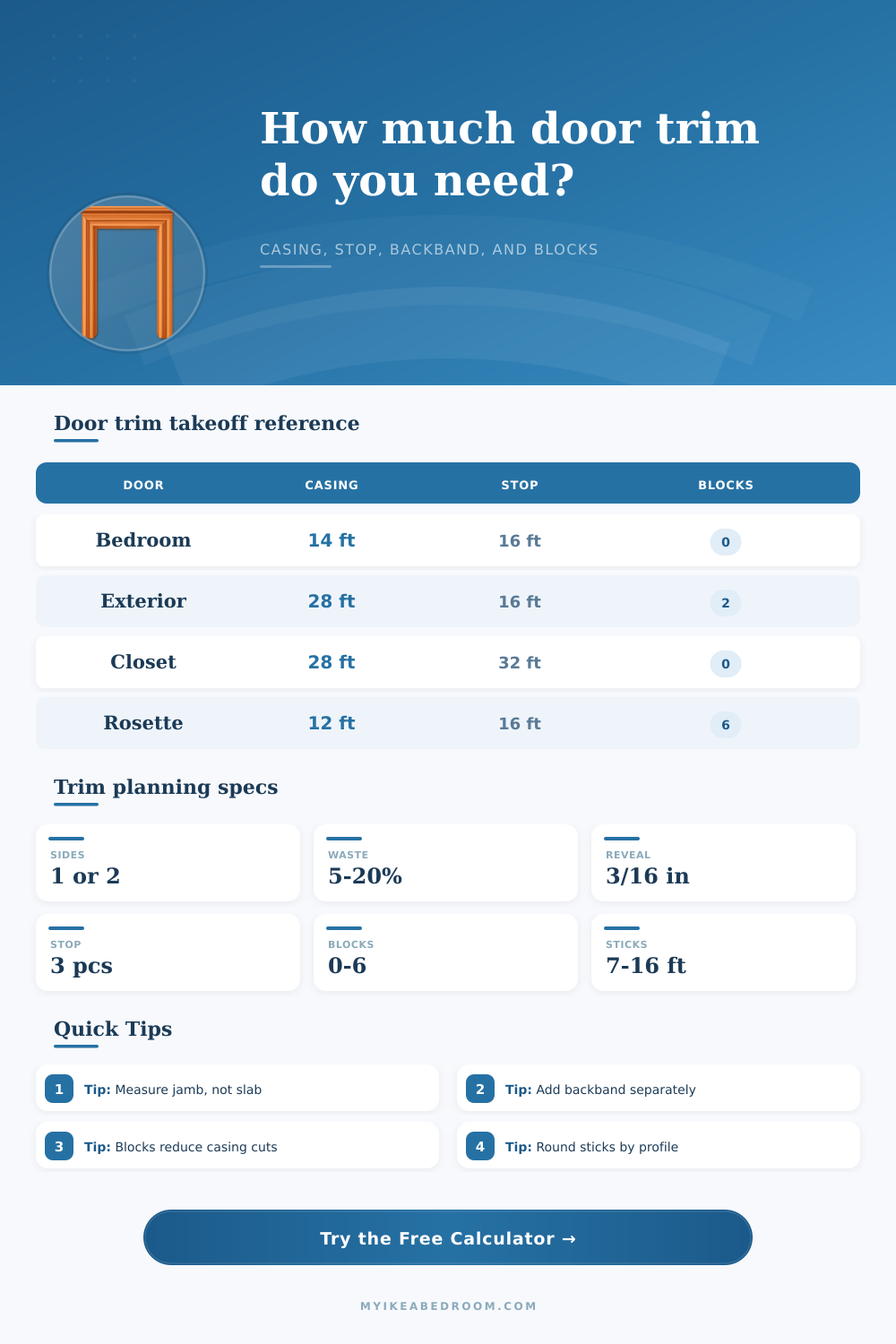
| Door scenario | Casing | Stop molding | Extra components |
|---|---|---|---|
| 30 in by 80 in bedroom, both sides | About 29 linear ft | About 16 linear ft | No blocks or backband |
| 36 in by 80 in exterior, one side | About 16 linear ft | About 16 linear ft | Threshold trim optional |
| 60 in by 80 in closet pair, both sides | About 34 linear ft | About 33 linear ft | Two stop sets |
| 32 in by 80 in rosette layout | About 22 linear ft | About 16 linear ft | 4 rosettes plus optional plinths |
0 ft
Useful for exterior, utility, or single-face trim planning.
0 ft
Common for interior bedroom doors and hallway openings.
0 ft
Adds a separate outer wrap so casing and backband stay distinct.
0 blocks
Shows how rosettes and plinths change the piece list.
Keep profiles separated: Casing, stop molding, backband, blocks, and threshold pieces are calculated as separate components so the takeoff stays usable when only one part changes.
Check each opening: Older bedroom doors, closet pairs, and exterior jambs often vary. Measure each width and height before combining many doors into one door count.
A trim calculator are a tool that will help you to determine how much trim materials that you will need for your room. You will need to use a trim calculator if you want to determine if your trim pieces is going to be long enough to reach the corners of your door openings. Additionally, you can use a trim calculator to determine if the amount of trim that is wasted during installation will exceed your budgets.
To use the trim calculator, you will be required to enter certain measurements into the calculator, and the trim calculator will provide results to the calculator based off those entered measurements. An opening at a door do not typically have the same measurement as the slab that will fit within that opening. The slab is the part of the door that will open and close, but the opening include the jamb and the drywall.
How to Use a Trim Calculator
Therefore, the trim has to be measured to include the width and height of both the jamb and the drywall. Should you decide to change the reveal of the door, the amount of casing that is required will change. If the reveal becomes larger, the length of the side pieces of the casing will increase, but the length of the head piece of the casing will decrease.
The profile of the casing will also impact the amount of material that will be required. If the casing is wide, the length of the miter cut at the top of the door will be more longer. This wide casing will also make the head piece of the casing longer than if it were a narrow casing.
A narrow casing will require less length to allow for the miter cuts, though they may appear too small for a thick wall. To determine the length of the casing pieces, you should measure the jamb of the door. The width of the casing pieces will allow for the miter at the top of the door.
Blocks at the door, such as rosettes or plinths, can impact the way in which the casing is cut. If you use rosettes at the head of the door or plinths at the floor of the door, the vertical pieces of the casing will not extend the full height of the door opening. The side pieces will end before the floor, and the head piece will be the portion that extends from the blocks.
The trim calculator will provide a separate count for the number of blocks that will be needed for the door. This separate count indicates how many individual blocks will be ordered, separate from the amount of linear footage of the casing. Stop molding is a separate material from the casing material, and it has its own set of rules regarding its measurements.
For each door, three pieces of stop molding will be required. Each door will have two side stops and one head stop. However, the head stop must be long enough to allow it to meet the side stops.
Therefore, the trim calculator will add an extra amount of stop molding for the head stop, so that you dont run out of stop molding while installing it on the doors. Backband is another piece of trim that will extend beyond the main casing. If you decide that you would like to use backband for your doors, the trim calculator will add that length to the total amount of trim needed for the doors.
The trim calculator will allow you to turn the backband setting on or off. Additionally, threshold trim, such as aprons or saddles, will also require an extra length to be added to the trim for the door. A percentage of waste will be required to be added to the total amount of trim needed for your job.
Waste may be necessary to account for knots in the wood planks or bowed planks. Additionally, the amount of trim needed may not be even with the length of the planks that will be purchased for the job. The percentage of waste will be applied to the casing, stop molding, and backband separately to ensure that the amount of each trim is accurate for the job.
Doors within a house may not all be of the same size. Some doors may be thirty inches in size, while others may be twenty-eight inches in size. Some doors may be single doors, while others may be closet door pairs that are sixty inches in size.
You can enter the number of doors in the trim calculator. The trim calculator will apply the settings to each door. However, if some doors are of a different size than others, they should of been calculated separately.
You can then add the totals together by hand. When using the trim calculator, you should treat each type of trim as a separate item. Casing, stop molding, backband, and threshold trim are each a different profile and sold separately.
The trim calculator allows for each of these to be entered into separate categories for the user to order each item separately. If these are not kept separate, you may not be aware of how many sticks of stop molding will be required for your job. After using the trim calculator to determine the amount of trim needed, you should walk through your house with a notepad.
Check each door to ensure that the opening is actualy thirty inches in size. Additionally, ensure that the jamb is flush with the drywall. These measurements will impact the amount of trim that will be needed for the job.
Using the trim calculator and walking through the house with notepad will assist you in ensuring that you have the proper amount of trim for your job.