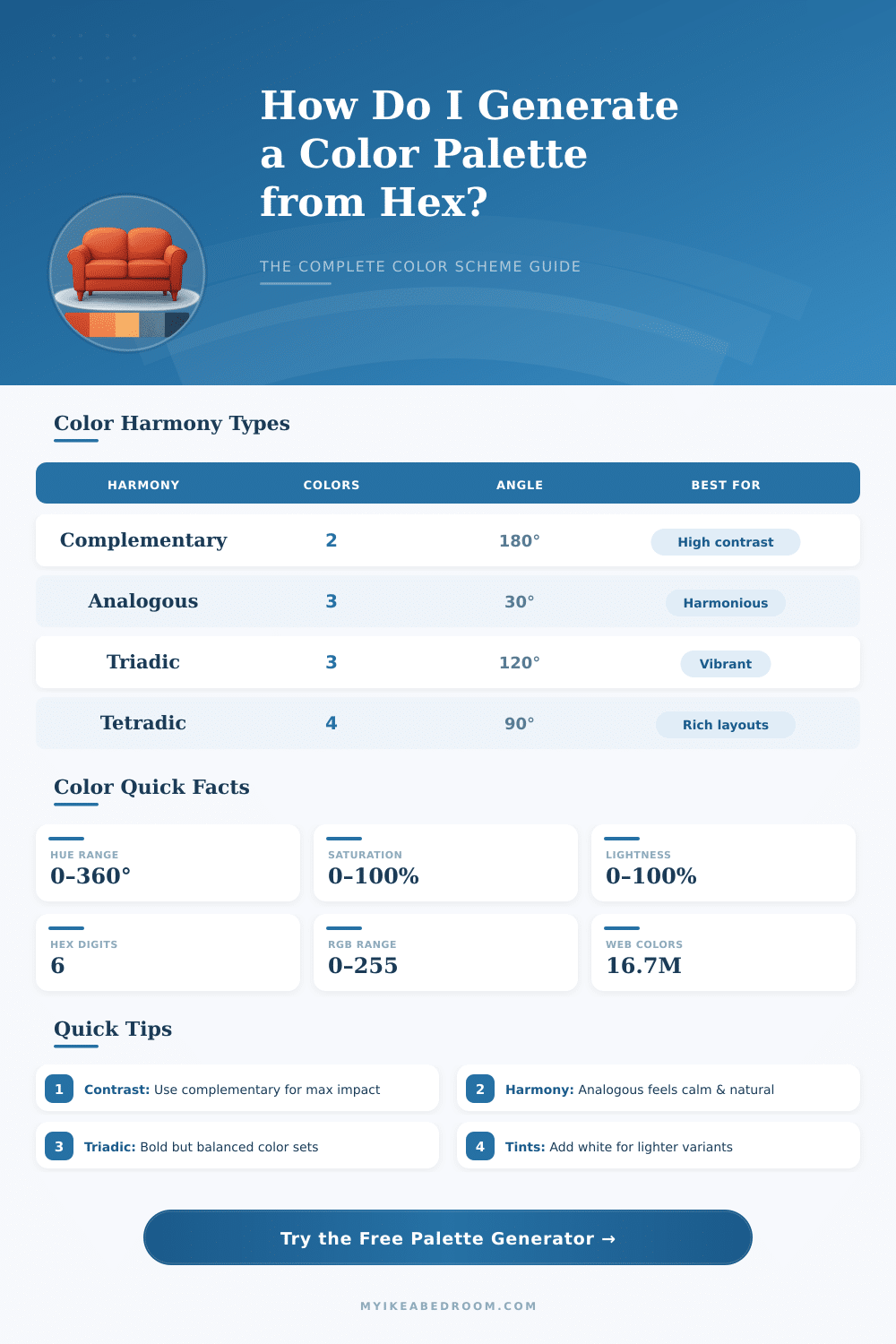
🎨 Color Palette Generator from Hex
Enter any hex code to instantly generate complementary, analogous, triadic & more color schemes
| Property | Range | 0 Value Means | Max Value Means | Usage Tip |
|---|---|---|---|---|
| Hue (H) | 0° – 360° | Red | Red (full cycle) | Shift hue for harmony colors |
| Saturation (S) | 0% – 100% | Grayscale | Fully vivid color | Lower for pastels, raise for vivid |
| Lightness (L) | 0% – 100% | Black | White | 50% = pure color, 80%+ = tint |
| Harmony Type | Hue Angle(s) | Color Count | Contrast Level | Best Use Case |
|---|---|---|---|---|
| Complementary | +180° | 2 | Very High | Logos, call-to-action buttons |
| Analogous | +30°, +60° | 3 | Low | Backgrounds, nature themes |
| Triadic | +120°, +240° | 3 | High | Playful, balanced designs |
| Split-Complementary | +150°, +210° | 3 | Medium-High | Less tension than complementary |
| Tetradic / Square | +90°, +180°, +270° | 4 | High | Rich multi-color layouts |
| Monochromatic | 0° (same hue) | 5+ | None | Elegant, minimal UI |
| Tints | 0° (same hue) | 5+ | None | Soft backgrounds, cards |
| Shades | 0° (same hue) | 5+ | None | Dark mode, depth layers |
| Hex Code | R | G | B | HSL Approx. | Color Name |
|---|---|---|---|---|---|
| #FF0000 | 255 | 0 | 0 | 0°, 100%, 50% | Pure Red |
| #00FF00 | 0 | 255 | 0 | 120°, 100%, 50% | Pure Green |
| #0000FF | 0 | 0 | 255 | 240°, 100%, 50% | Pure Blue |
| #FFFF00 | 255 | 255 | 0 | 60°, 100%, 50% | Pure Yellow |
| #FF00FF | 255 | 0 | 255 | 300°, 100%, 50% | Magenta |
| #00FFFF | 0 | 255 | 255 | 180°, 100%, 50% | Cyan |
| #FFFFFF | 255 | 255 | 255 | 0°, 0%, 100% | White |
| #000000 | 0 | 0 | 0 | 0°, 0%, 0% | Black |
| #808080 | 128 | 128 | 128 | 0°, 0%, 50% | Medium Gray |
| #FF6B35 | 255 | 107 | 53 | 19°, 100%, 60% | Orange-Red |
| Contrast Ratio | WCAG Level | Normal Text | Large Text | Recommendation |
|---|---|---|---|---|
| ≥ 7:1 | AAA | ✅ Pass | ✅ Pass | Best for accessibility |
| ≥ 4.5:1 | AA | ✅ Pass | ✅ Pass | Minimum for normal text |
| ≥ 3:1 | AA Large | ❌ Fail | ✅ Pass | Large/bold text only |
| < 3:1 | Fail | ❌ Fail | ❌ Fail | Avoid for readable text |
Generators for color palette ranges are programs that pop nice and attractive colours almost quickly. Some of them are this easy, that you simply press the space bar and it starts, new range appears in moments. This speed truly captures the attention of designers and artists, when they need to coordinate colours without too much trial and mistake.
Coolors probably is the most liked between them. It works quickly, is easy and meant for folks that want fast results. In seconds you make and save ranges, carry them in every needed form and look at popular ranges, that other users created, for a bit of inspiration.
Easy Tools to Make Color Palettes
One useful feature: clicking the lock symbol at some colour it shows about twenty different shades of it, what simplifies the building of a whole design system.
Here the part with artificial intelligence, that truly shines. Programs like Colormind use deep neural nets to create colour combiantions that work well. Others allow to simply enter a name, keyword or style that you intend, and they right away give the ideal range for your work.
More than 8 000 folks already trust this AI for their colour tasks. Colorgen goes further; you chat with AI help and it forms custom ranges based on your description.
Canva entered this area with its own generator, that accurately pulls colours straight from photographs that you upload. Similarly work other tools, that take images, words or already existing colours and form ranges based on various logical rules. This flexibility makes them fit for almost everything what you give too them.
Paletton follows another direction. It builds on classical theory of colours, using the traditional RYB colour wheel to create ranges of one single tone up to four, each with five shades available. You get also different display options, so that you can see how those colours truly coordinate together.
What sets apart the best tools is how far they go beyond simply choosing colours. Many provide solid knowledge about colours, their meanings, variations and how accessible they are. Some even help to create and test Tailwind ranges on rich UI designs in real time.
One free program makes ranges, creates Tailwind-like shade variations and ties them with fit fonts, everything in live demo. Chromora is another solid free choice, that works online or offline, built with basic HTML, CSS and JavaScript.
The main editors for ranges support RGB, HSL and HCL colour spaces, so that you can set ranges freely. You can convert between hex, RGB, CMYK, HSL and HSV formats also. Carry your result as PDF files or Adobe exports are built into many platforms.
Some generators care about light and dark themes for UI work. You can set certain colours and create variations around them. Choose one or two base colours and grow from here, that is the method that most designers use.
Sliders help to lighten, darken, set saturation or enter the tone. Look at thousands of ready ranges for free on some websites, without need to register. The rule 60-30-10 deserves to guide, when you apply arange to a website.