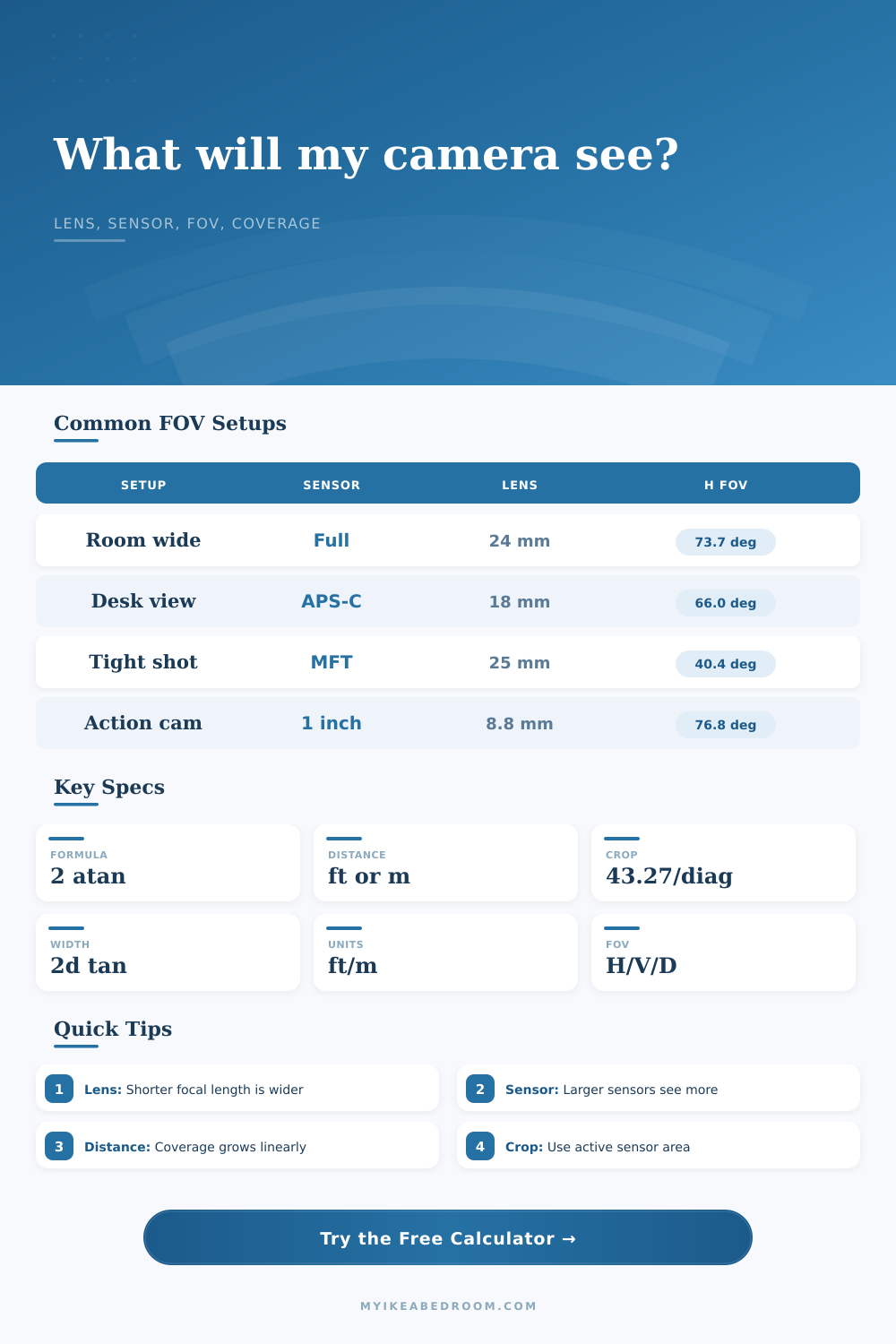
Camera Field of View Calculator
Estimate horizontal, vertical, and diagonal field of view from sensor dimensions, focal length, crop factor, and shooting distance.
Choose a realistic starting point, then adjust the active sensor, focal length, distance, and crop mode for your camera.
| Calculation | Formula | What to use | Output |
|---|---|---|---|
| Horizontal FOV | FOV = 2*atan(sensor width/(2*focal length)) | Active sensor width in mm | Degrees |
| Vertical FOV | FOV = 2*atan(sensor height/(2*focal length)) | Active sensor height in mm | Degrees |
| Diagonal FOV | FOV = 2*atan(sensor diagonal/(2*focal length)) | sqrt(width² + height²) | Degrees |
| Coverage width | Coverage = 2*distance*tan(horizontal FOV/2) | Feet or meters at subject plane | Scene width |
| Camera setup | Sensor | Lens | Approx horizontal coverage |
|---|---|---|---|
| Wide room still | Full-frame | 24 mm | 15.0 ft / 4.6 m |
| Natural perspective | Full-frame | 35 mm | 10.3 ft / 3.1 m |
| APS-C kit wide | 23.5 x 15.6 mm | 18 mm | 13.1 ft / 4.0 m |
| MFT interior wide | 17.3 x 13 mm | 12 mm | 14.4 ft / 4.4 m |
| 1-inch compact wide | 13.2 x 8.8 mm | 8.8 mm | 15.0 ft / 4.6 m |
| Security camera wide | 4.8 x 3.6 mm | 2.8 mm | 17.1 ft / 5.2 m |
| Target frame width | Full-frame 24 mm | APS-C 18 mm | MFT 12 mm |
|---|---|---|---|
| 4 ft wide object | 2.7 ft away | 3.1 ft away | 2.8 ft away |
| 6 ft table | 4.0 ft away | 4.6 ft away | 4.2 ft away |
| 8 ft wall | 5.3 ft away | 6.1 ft away | 5.6 ft away |
| 12 ft room span | 8.0 ft away | 9.2 ft away | 8.3 ft away |
Many photographers don’t pay attention to a number… But it’s the difference between a good wide shot and a distorted image.
You’re shooting a product video or renting a camera for the first time, and suddenly the lens doesn’t fit in the room. The perspective look all wrong, or maybe the wall gets cut off. Why? Because we tend to treat focal length in isolation, forgetting that it’s part of a system that includes distance and sensor size. Get your head around the system and stop guessing: know what you’re doing.
Why You Should Plan Your Shots
The lens isn’t the only player when it comes to field of view. Field of view is also an equation. It is a relationship between the sensor, the glass, and the thing being shot.
On a full-frame camera, a wide angle 24mm lens will capture one scene. On a Micro Four Thirds body? Something else entirely. The glass works the same, bending light as it goes. But since the sensor is smaller, it crops the image at the edges. That makes your view narrower.
Enter crop factor. You can use it to compare lenses from different camera system. Instead of complicated math, the crop factor calculator does that for you. It run the numbers so you know how much your camera will see.
You should be mindful of not only the horizontal angle, but also vertical coverage. This is especially true for interiors and product shot. Do you want frame height to match the object? With the tool, it knows how you have the sensor oriented (switching between landscape and portrait), swapping dimensions to match. That matters more then you would think. It will change your field of view if you shoot vertical video with a horizontal sensor crop.
Once you see the numbers, it feels intuitive but it can be easy to misjudge on location. The more distance you put between yourself and your subject, the wider an area you’ll capture in a scene. If you double that distance, then you double the width of the coverage. But there’s one caveat to this: The subject plane must be flat. For example, if you shoot a deep room or a curved wall, the coverage won’t be the same.
The calculator assumes a flat plane at some distance. That’s a good starting point but far from an exact representation of reality. It will tell you what will fit at ten feet; it can never represent the complexity of a real room. If so, be sure to inspect sensor area in action.
Some video modes are cropped and some cameras switches their aspect ratio, which crops even more. That sneaky crop will narrow your field of view while keeping the same lens. If the real active dimensions get plugged into your estimate, what you see on camera will reflect what you shoot. This is a little thing that prevents you from rolling into an expensive situation where you has to step back another five feet to accommodate the talent.
A helpful option is framing allowance. Add 10-15% to your coverage calculation as a cushion in case you mess up or want to play with it. You don’t want to be cutting off a lamp or someone’s shoulder, so having some wiggle room is good.
The reference tables shows common set-ups in comparison. This will help you get an idea of what’s possible. A longer lens requires more space, while a wider one allows you to step back. There are also trade-offs. A wide lens causes more distortion at the edges and a long lens creates more compression.
Control is what field of view ultimately boils down to. Instead of reacting once you hit record or press the shutter, you can plan ahead. It lets you understand distance, focal length, and sensor size so you know exactly how much of the scene will be in the frame before you start recording.
When you no longer have to wonder whether or not you can get everything in there, but rather you KNOW how to frame it, that’s when you go from having a good photo to having a great one. Knowing how you’re going to frame something turns it into a vision that has been planned for down to each and every detail.
You should of known that earlier. It is naturaly better to plan ahead based off your gear. Actually, the moddern way is just to prepare.