Electrical load planning estimator
Outlets Per Circuit Calculator
Estimate maximum circuit watts, derated usable capacity, outlet load, remaining capacity, recommended outlet count, and circuit load percent for room planning and device grouping.
Circuit Load Breakdown
| Circuit rating | Maximum load watts | 80% derated capacity | Typical planning use |
|---|---|---|---|
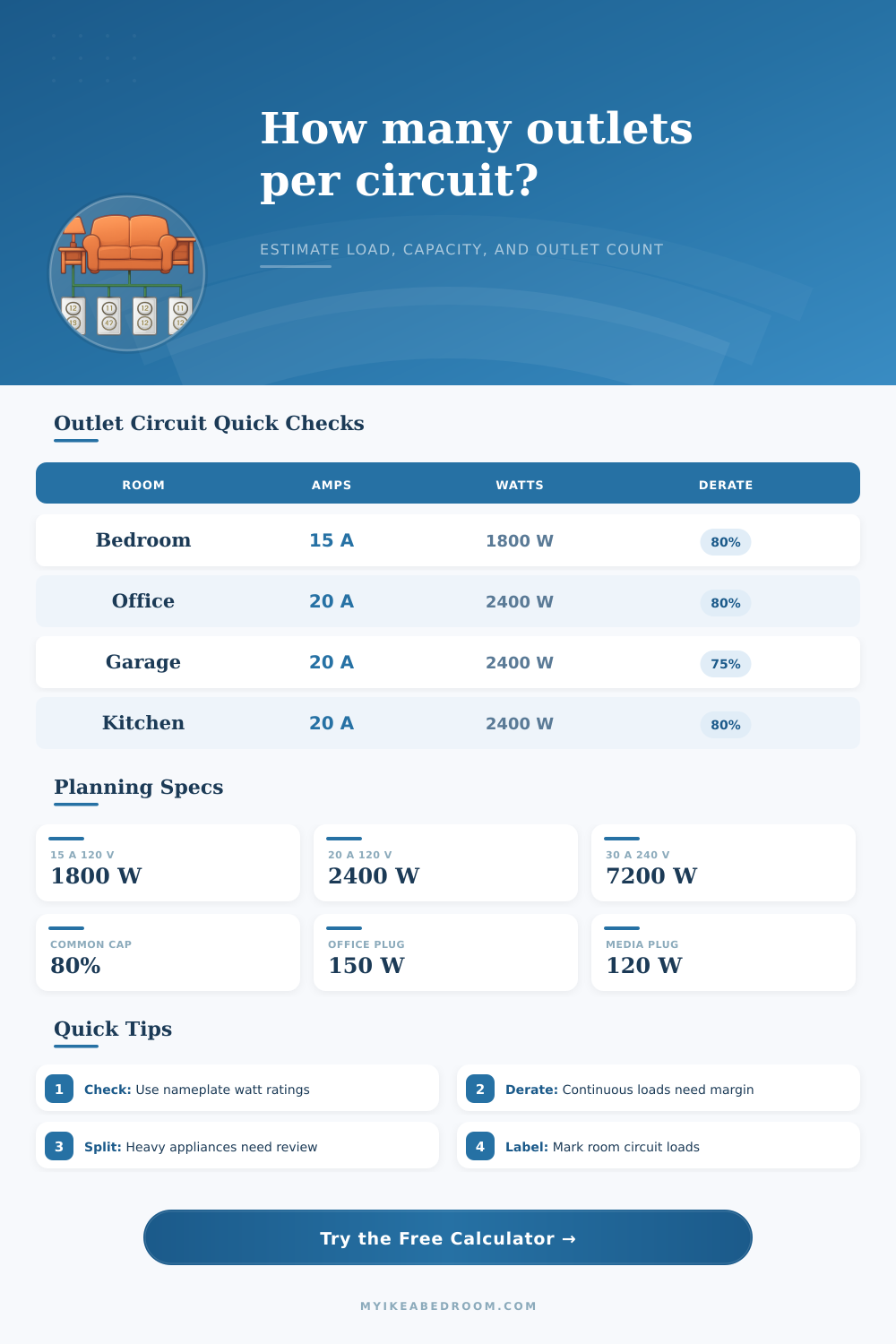
| 15 A at 120 V | 1,800 W | 1,440 W | Bedrooms, living areas, general outlets |
| 20 A at 120 V | 2,400 W | 1,920 W | Offices, garage benches, kitchen small appliance circuits |
| 20 A at 240 V | 4,800 W | 3,840 W | Equipment circuits that require voltage-specific review |
| 30 A at 240 V | 7,200 W | 5,760 W | Larger appliance or shop equipment planning |
| Room type | Planning factor | Common outlet watts | Watch item |
|---|---|---|---|
| Bedroom or guest room | 0.96 | 60-120 W | Space heaters and window AC units |
| Home office | 1.08 | 120-180 W | Computers, displays, laser printers |
| Garage or workbench | 1.15 | 180-300 W | Tool startup loads and chargers |
| Kitchen small appliance | 1.20 | 250-450 W | Countertop heating appliances |
| Living room or media wall | 1.02 | 90-160 W | Amplifiers and always-on electronics |
| Laundry or utility | 1.18 | 200-500 W | Motor loads and appliance sharing |
| Expected watts per outlet | 15 A 120 V at 80% | 20 A 120 V at 80% | Planning note |
|---|---|---|---|
| 75 W | 19 outlets | 25 outlets | Low-load lamps, chargers, and small electronics |
| 120 W | 12 outlets | 16 outlets | General bedroom or living area estimate |
| 180 W | 8 outlets | 10 outlets | Office and entertainment equipment estimate |
| 300 W | 4 outlets | 6 outlets | Workbench, kitchen, or utility planning estimate |
| Load percent | Status | What the calculator shows | Planning response |
|---|---|---|---|
| 0-60% | Open headroom | Plenty of remaining capacity | Outlet count may be reasonable for light loads |
| 61-80% | Normal planning band | Capacity is being used but still under the selected derate | Check nameplate loads and continuous use |
| 81-100% | Tight | Little remaining planning room | Reduce outlet load or split the circuit plan |
| Over 100% | Over estimate | Estimated load exceeds selected usable capacity | Revise the circuit plan with qualified review |
Pulling the plug on a space heater doesn’t make the bedroom lights flicker, but are you still worried? If so, then it’s time for homeowners to understand amount of electricity already flowing through their walls before adding any more plugs. While most of us know it’s bad to overload our circuits, few of us have a clue what an “overload” even is in outlet-terms: how many watts, and what does that mean? Use this calculator to connect the dots between vague worry and concrete numbers, see just how much wiggle room you have until wire heats up, or the breaker pops.
It’s just some basic math with some margin built in. In theory, you could draw 1,800 watts on a typical 120 volt, 15 amp circuit. But by code, you has to plan for an 80 percent load on a circuit, which means 1,440 watts max for continuous use. That means in practice, you get a usable budget of about 1,440 watts and that’s your hard ceiling. If the outlet cover plate is hot, you’re already past that line. The tool has all that power reduction built-in, and it will tell you whether you’re running within your means (or dangerously close).
How Much Electricity Can Your Outlets Handle?
Plug in how much wattage each outlet draws and how many outlets there are, and the system inform you. The reason most folks mess up: They think all outlets are created equal, they’re not. The calculator helps you account for different expected watts per outlet depending on what you’re plugging in. But if you have two appliances in a different room and both is plugged into different circuits, they can pull whatever wattage they need as long as they stay within those circuits’ safe limits. In other words, the expected watts-per-outlet setting will vary depending on what you expect to be plugged into any given receptacle.
Plug a microwave and coffeemaker into a kitchen outlet? That’s a high-use circuit; plug a nightstand lamp and phone charger into another and that’s low use. The calculator accounts for this. When you anticipate running a monitor and computer all day in a home office, you account for 120 watts per plug. (That’s a constant load, so there’s some additional wiggle room built-in for wiring heating up over time.)
Sometimes the math isn’t everything (it depends on context of the room). For example, a garage workbench might have fewer outlets than a living room, but those outlets face power tools with high startup surges. To help nail down those expectations, the calculator has presets for various rooms. If you pick “Garage” then it knows to account for slightly higher load per-outlet and maybe even a little bit different safety factor. It’s all about aligning your wiring plan with way that space actualy gets used.
For example, you might want to cram as many outlets onto a single circuit as possible just to keep your labor bill low, but the math typically fights against that choice. The recommended outlet count brings that trade-off front-and-center. For example, if the tool tells you your load profile makes eleven the sweet spot, two additional outlets might get you into a dicey range. In that range, each extra plug seems potentially risky.
But then there’s also the dedicated allowance question. Perhaps you have a room where a desktop PC tower or dehumidifier are located, and you can reserve watts for those devices in the inputs. In those cases, you can assign watts to them in the inputs. That reduces amount of capacity available for all other things. And then it becomes a matter of subtracting. For every watt you dedicate to a known appliance load, that’s one less watt you have to throw at some random peripheral. That means you have to pick and choose based off need versus want. Because what will fail isn’t average but rather peak usage, and over-designing for average creates this mistake.
The last piece of the puzzle is to know what your load percent is. This percentage shows how much of your maximum safe load you are already using. So if you hover around 70 percent, you’re in the comfortable range, some wiggle room for more stuff and still room for error. Is it above 90 percent? You’re pushing the envelope (living on the edge). Tripping breakers isn’t the only issue here; there’s also the issue of safety and longevity of the home’s infrastructure. Alongside the calculator, the reference tables provides a way to check what kind of percentages should match normal ranges based on room type.
In the end, electrical code compliance is far less about remembering the numbers than it is about recognizing boundaries. No one needs to be an electrician to understand that they’re pushing a wire past its limit. If you approach your circuits as fixed-spending budgets, you’ll maintain a working, safe house. The breakers will remain cool and the lights won’t dim. You’ll also stop fearing that your next additional plug might be the one to push things over the edge.