Plywood Sheet Cutting Calculator
Plan rectangular plywood parts from sheet size, part size, quantity, kerf, edge trim, grain direction, rotation, sheet count, and waste buffer.
Load a cabinet, drawer, shelf, panel, or backer layout, then adjust the dimensions and cutting assumptions for your shop.
0 parts per sheet
Uses the part dimensions as entered.
0 parts per sheet
Compares the part at 90 degrees.
0 sheets
Shows the exact quantity without spare parts.
0 parts capacity
Compares available sheets to planned parts.
| Sheet type | Imperial size | Metric size | Best use |
|---|---|---|---|
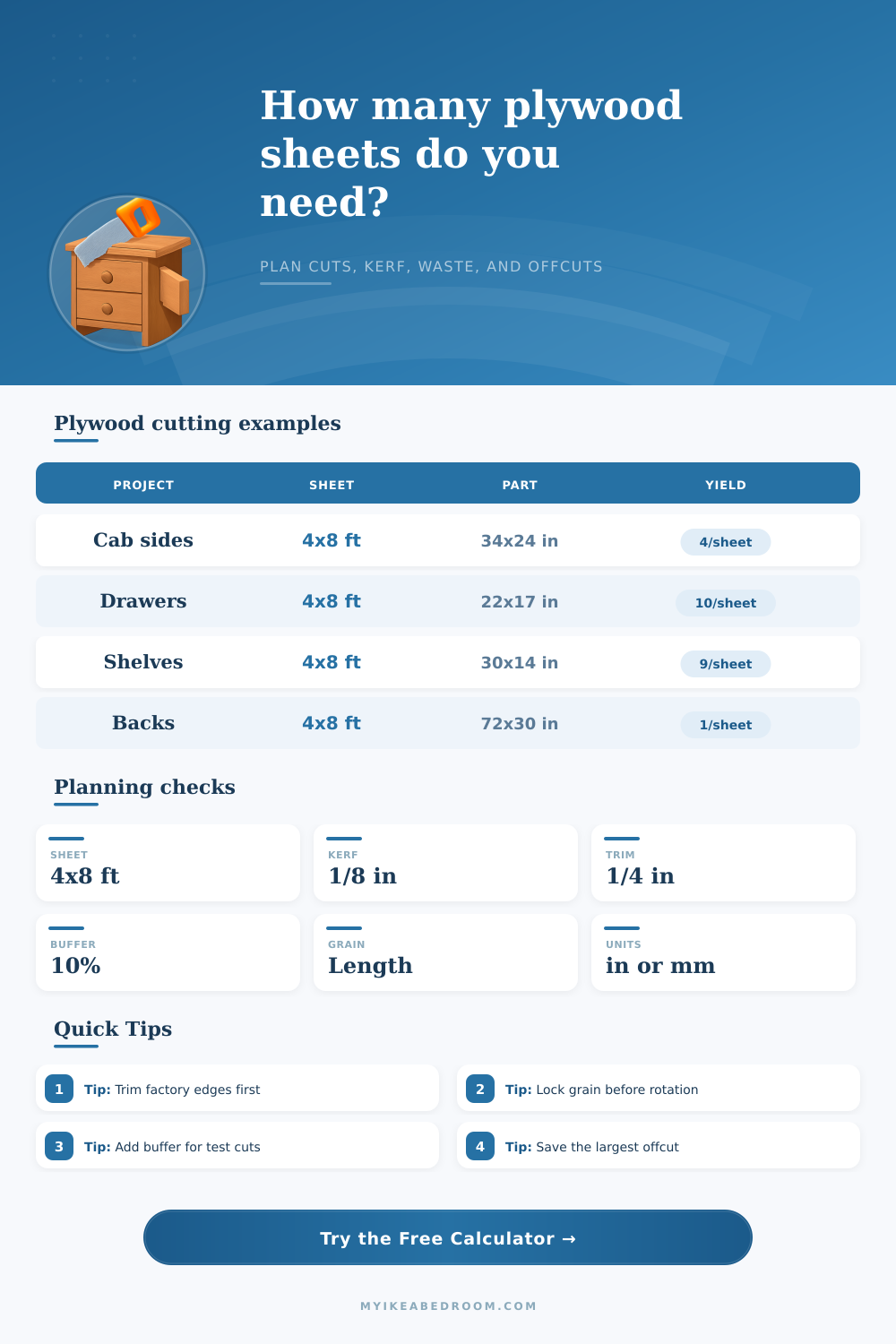
| Standard cabinet sheet | 96 x 48 in | 2440 x 1220 mm | Cabinet sides, shelves, backs, doors |
| Oversize architectural sheet | 120 x 60 in | 3050 x 1525 mm | Tall panels, long desks, continuous backs |
| Baltic birch square | 60 x 60 in | 1525 x 1525 mm | Drawer parts, jigs, small panels |
| Half sheet | 48 x 48 in | 1220 x 1220 mm | Small furniture parts and test layouts |
| Cutting tool | Typical kerf | Metric kerf | Planning note |
|---|---|---|---|
| Full-kerf table saw blade | 0.125 in | 3.2 mm | Common default for cabinet shop planning |
| Thin-kerf table saw blade | 0.094 in | 2.4 mm | Can improve yield on narrow repeated parts |
| Track saw blade | 0.087 in | 2.2 mm | Useful for sheet breakdown before table saw work |
| Edge clean-up trim | 0.125-0.5 in | 3-13 mm | Use more trim for chipped or out-of-square sheets |
| Part | Common size | Grain choice | Rotation advice |
|---|---|---|---|
| Cabinet side panel | 34.5 x 23.75 in | Lengthwise | Keep vertical grain consistent on visible sides |
| Drawer bottom | 21.5 x 16.5 in | No visible grain | Rotation is usually fine for utility panels |
| Closet shelf | 30 x 14 in | Lengthwise | Align face grain along the shelf length |
| Bookcase back | 72 x 30 in | Lengthwise | Large backs often decide the whole sheet plan |
| Shaker center panel | 22 x 14.5 in | Lengthwise | Match grain direction across paired doors |
| Setting | Meaning | When to use | Planner behavior |
|---|---|---|---|
| Lengthwise grain | Part length follows sheet length | Cabinet sides, doors, tall panels | Entered orientation is preferred |
| Cross grain | Part length follows sheet width | Horizontal faces with cross-grain design | Rotated orientation is preferred |
| No visible grain | Either direction can be acceptable | Painted panels, utility bottoms, backs | Best yield can choose either orientation |
| Rotation allowed | 90 degree comparison is permitted | Shop panels, hidden parts, painted parts | Higher yield can override preference |
Trim and kerf: Enter the trim you actually remove from each edge, then measure the blade kerf from a real test cut. A small kerf change can alter yield on repeated drawer bottoms or shelf strips.
Grain and offcuts: Decide which faces must match before accepting a rotated plan. The calculator reports the largest rectangular offcut, but defects and cut order can reduce how useful it is.
Plywood cutting errors often result from the fact that the measurements of the plywood sheet do not match the measurement in a person’s mind. People often make plywood cutting error when they have to account for the width of the saw blade, the unevenness of the plywood sheet from the factory, and other plywood sheets that might have to be cut due to defects. In these situations, instead of considering the number of plywood sheet that are needed, people begin to think about the amount of each plywood sheet that will be used for the project.
Plywood is sold in sheet rather than by the square foot. Once a person has used a portion of a plywood sheet, the fraction of that plywood sheet cannot be purchased. The calculator allows a person to enter the dimension of the parts that are to be created, the width of the saw blade, the amount of waste that is to be trimmed from the edges of the plywood sheet, and the waste that is to be incorporated as a waste buffer.
How to Use a Plywood Cut Calculator
Based on these entries, the calculator will indicate the number of parts that will fit onto the plywood sheet, the number of plywood sheets that will be consumed to create the parts, and the size of the offcut that will remain of the plywood sheet. The calculator will only provide these measurements if the person understands each of the measurement that is required of the shop. The kerf is the width of the plywood sheet that the saw blade saws away when the parts are cut.
Although the kerf of the saw blade might be small when cutting a plywood sheet into a single part, the kerfs of the saw blade adds up to an amount when many parts is sawed from a single plywood sheet. The width of the kerf can have a large impact on how many parts can be cut from the plywood sheet. The saw blade treats the kerf as a constant width of space between each part that is to be cut from the plywood sheet.
Additionally, the amount of plywood sheet that is trimmed from the edges of the plywood sheet affects the amount of usable plywood sheet. If a person trims a quarter inch from each side of the plywood sheet, for example, the plywood sheet will lose an inch from both of its dimensions. The direction of the grain of the plywood sheet is one of the entries that the calculator requires from the person.
If the parts of the project require the grain of the plywood sheet to run vertical on each side of the cabinet, for instance, then those parts cannot be rotated to allow more of them to fit on the plywood sheet. The person can enter the saw calculator with the grain direction of the plywood sheet locked or allowed to rotate. In instances where the grain direction of the plywood sheet is locked, the saw will not allow the person to rotate the parts of the project.
If the grain direction of the plywood sheet is allowed to rotate, the person can compare the appearance of the plywood sheet in both rotations to determine if the additional amount of parts that could be sawed from the plywood sheet is worth the alteration in the appearance of the grain. This entry is a simple entry when the parts of a project are to be paint, but it is an important entry for any parts that are to be visible in the project in which the plywood sheet will be used. The waste buffer entry on the saw calculator allows for a person to incorporate extra material into the project.
For some saw and woodshops, a five percent waste is added to the project to indicate that the shop is tidy and neat in the shop. For other saw and woodshops, however, a twenty percent waste buffer might be added to account for possible mistakes in sawing the plywood sheet or if the plywood sheet has a defect. The quantity of the parts that are to be sawn into the plywood sheet is multiplied by the percentage number of the waste buffer.
Based on this calculation, the number of plywood sheets that are required to contain enough of the parts can be determined. This waste buffer will not ensure that there will be enough plywood sheet for the persons projects, but it will eliminate the need for mental arithmetic when going to the lumberyard to purchase the plywood sheet. The saw calculator can determine the size of the largest offcut of plywood sheet.
The size of the offcut is the size of the largest strip of plywood sheet that will remain after all of the parts are sawn from the plywood sheet. This offcut of plywood sheet might be a long strip of plywood sheet that remains along only one of the edges of the plywood sheet. Knowing the size of this offcut will allow a person to determine if any rearrangement of the parts on the plywood sheet will create a useful offcut of plywood sheet.
Plywood sheets come in various sizes. A 4×8 sheet of plywood is a large size and may be used to create tall sides of cabinets or shelves. A 5×5 sheet of plywood of Baltic birch is often used for smaller parts of projects.
The square shape of the plywood sheet minimizes the number of saw cuts of the plywood sheet. Those who only have a few parts of a project to create, or who do not have the space to store a full sheet of plywood, often purchase half sheets of plywood. The saw calculator is programmed to accept any dimension of parts into the saw calculator.
The limit to the cutting of plywood sheet with a saw is often encountered when a strip of plywood sheet remains that is too narrow for the part that is to be created out of the plywood sheet, yet too wide to simply discard the strip of plywood sheet. At this stage, the person that is sawing the plywood sheet might wonder if the part should of been rotated in relation to the plywood sheet. Although the saw calculator cannot make these decisions for the person, the saw calculator will provide the person with the numbers that he or she needs to know whether or not the plywood sheet will be able to produce the project that is planned for it, and whether or not the offcut of plywood sheet will be large enough to be useful in another project.
Youll find that the calculator works best when you’re entering all the data accurately. It can be a bit diffrent than doing it by hand, but it is actualy alot more helpful.